Simplify VAT/GST verification with our ERP Plugin

From onboarding a new customer to managing suppliers in different countries, verifying VAT numbers is essential, but it should not be slow or complicated. Manual checks, switching between systems, and missing an audit trail create unnecessary frustration.

The LimeLyte® Entity Manager Verification Plugin makes VAT and GST number checks instant, right inside your ERP screen. No extra logins, no switching tabs, just click verify and get confirmation with entity details, country code, and a compliance-ready reference.
App screenshot
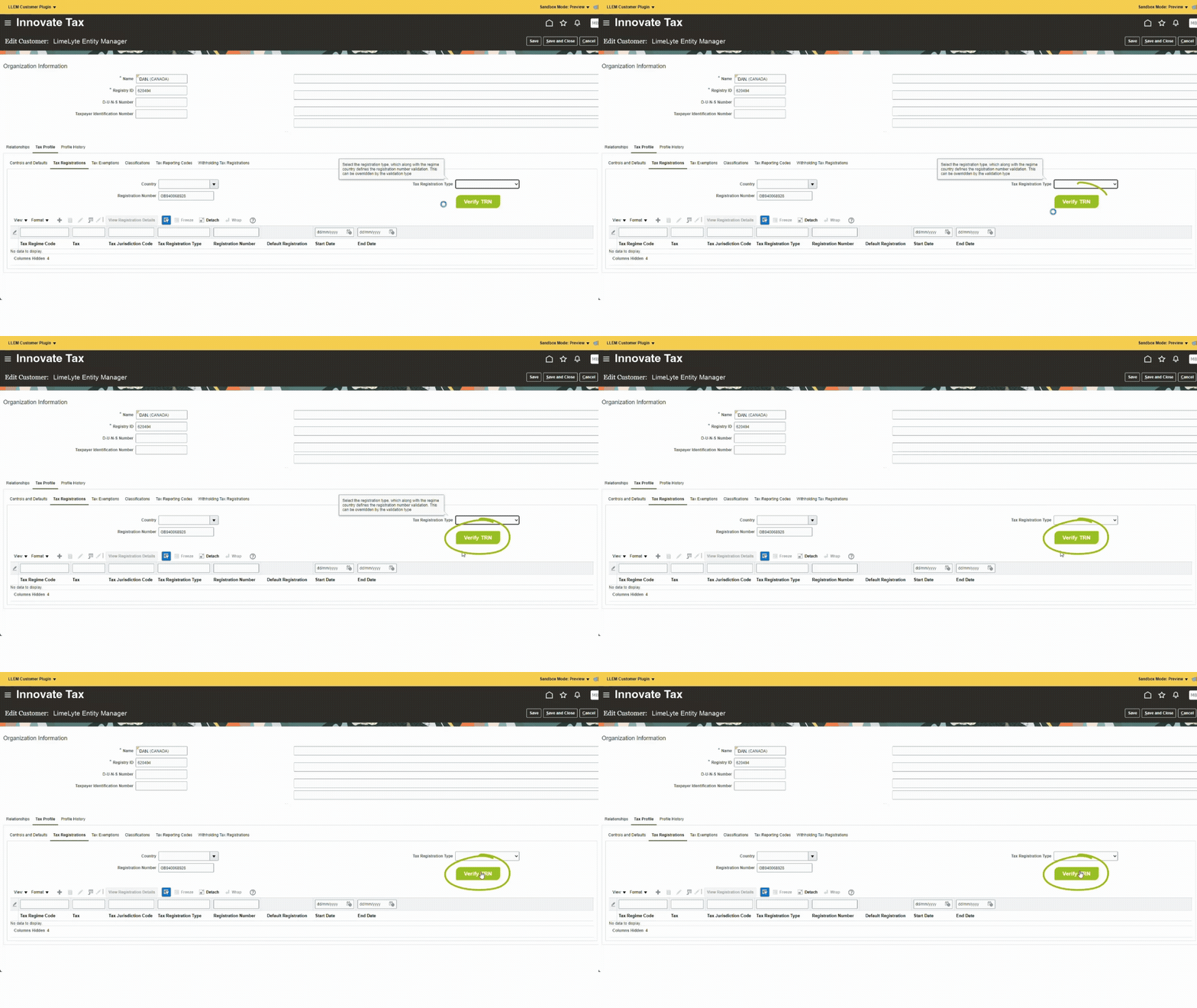
Entering VAT Details into ERP Plugin

Enter VAT Details

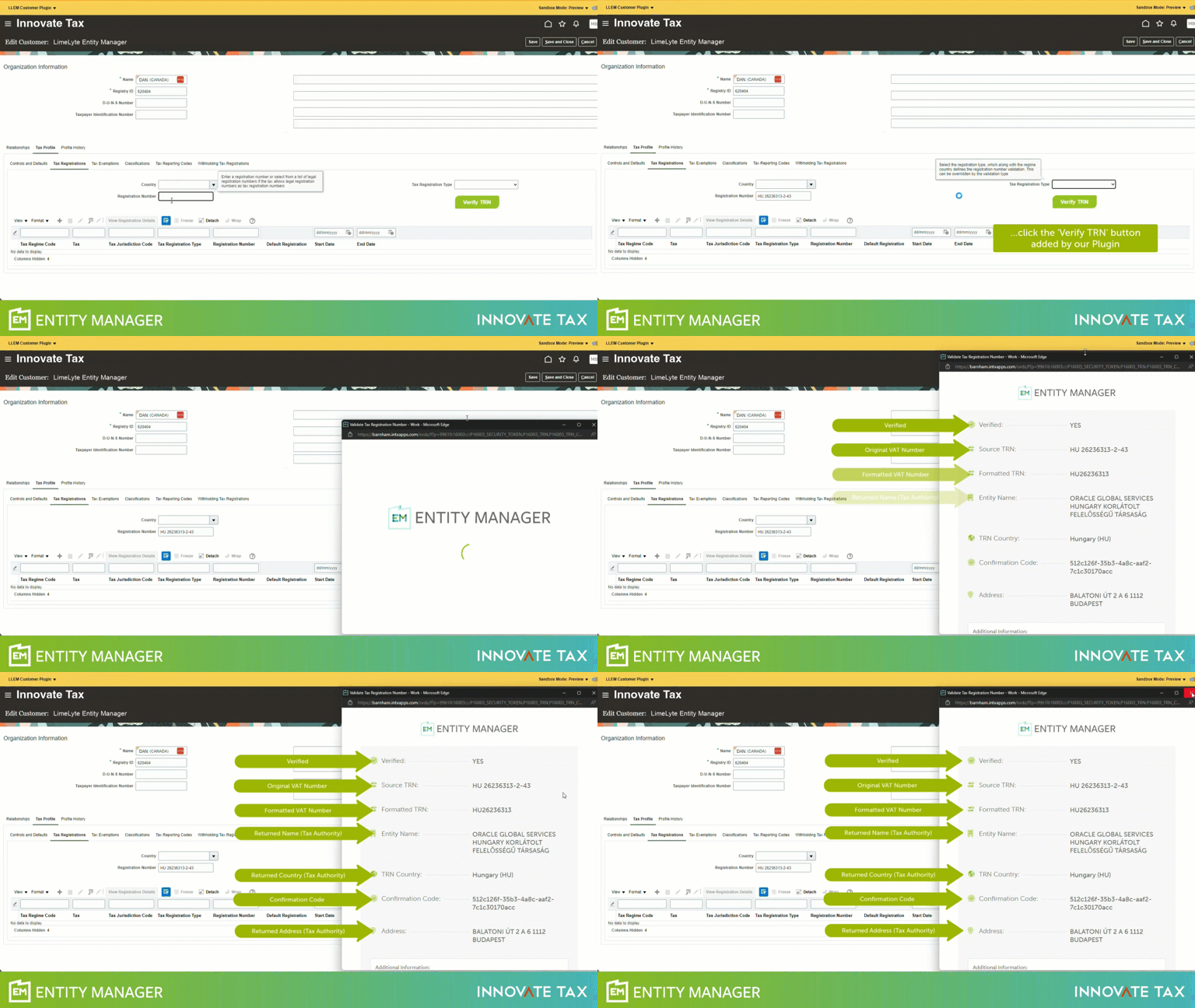
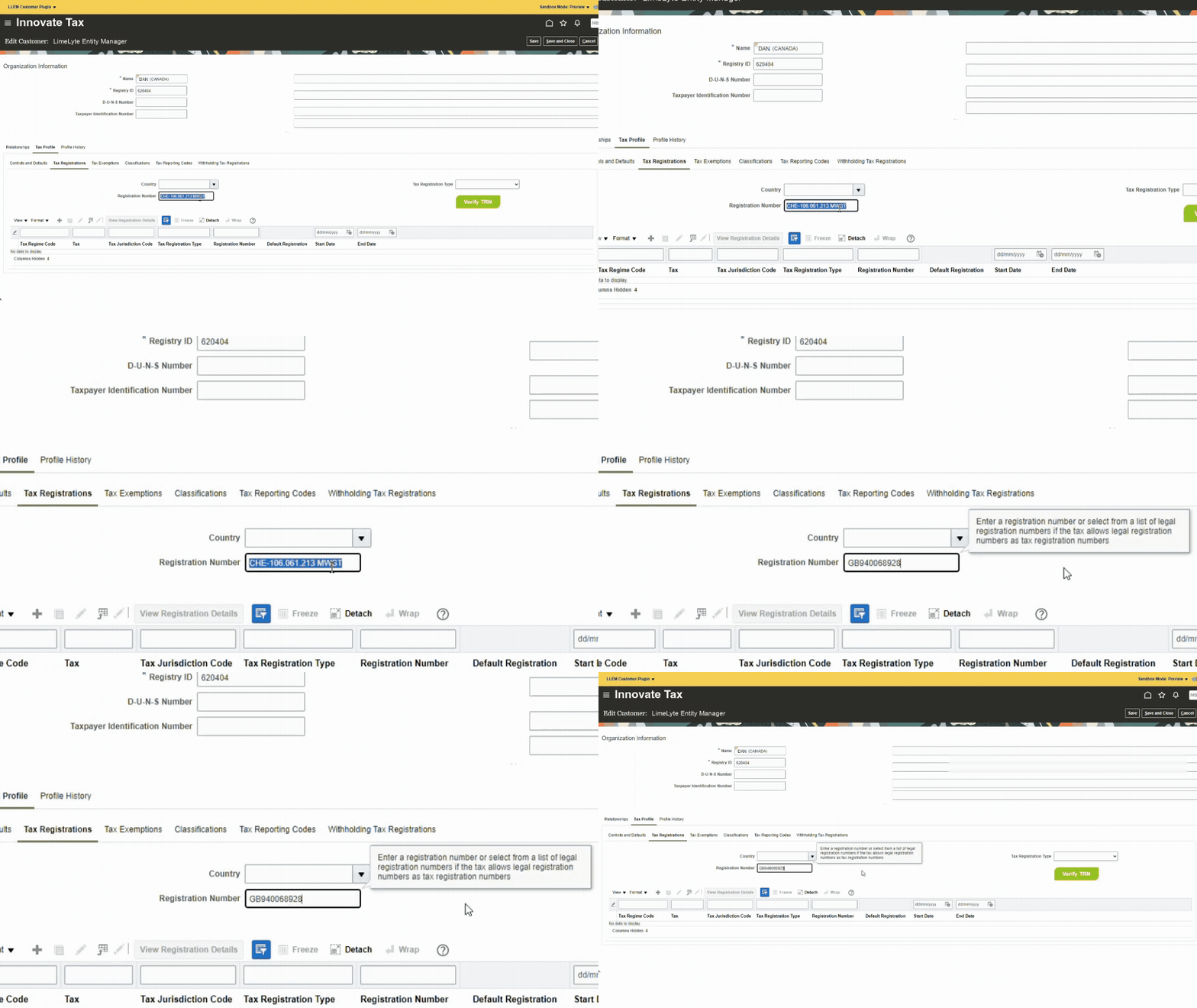
Open the Customer Tax Profile or Supplier Tax Details page in your ERP. Enter the VAT or GST number, either with the country code or just the numeric part, as the plugin automatically detects it.

Verifying the VAT/GST Number by clicking 'Verify'

Click ‘Verify’

Select the ‘Verify TRN’ button to launch the validation pop-up. In seconds, the system checks the Tax Registration Number against the relevant tax authority and returns the registered details for you to review.

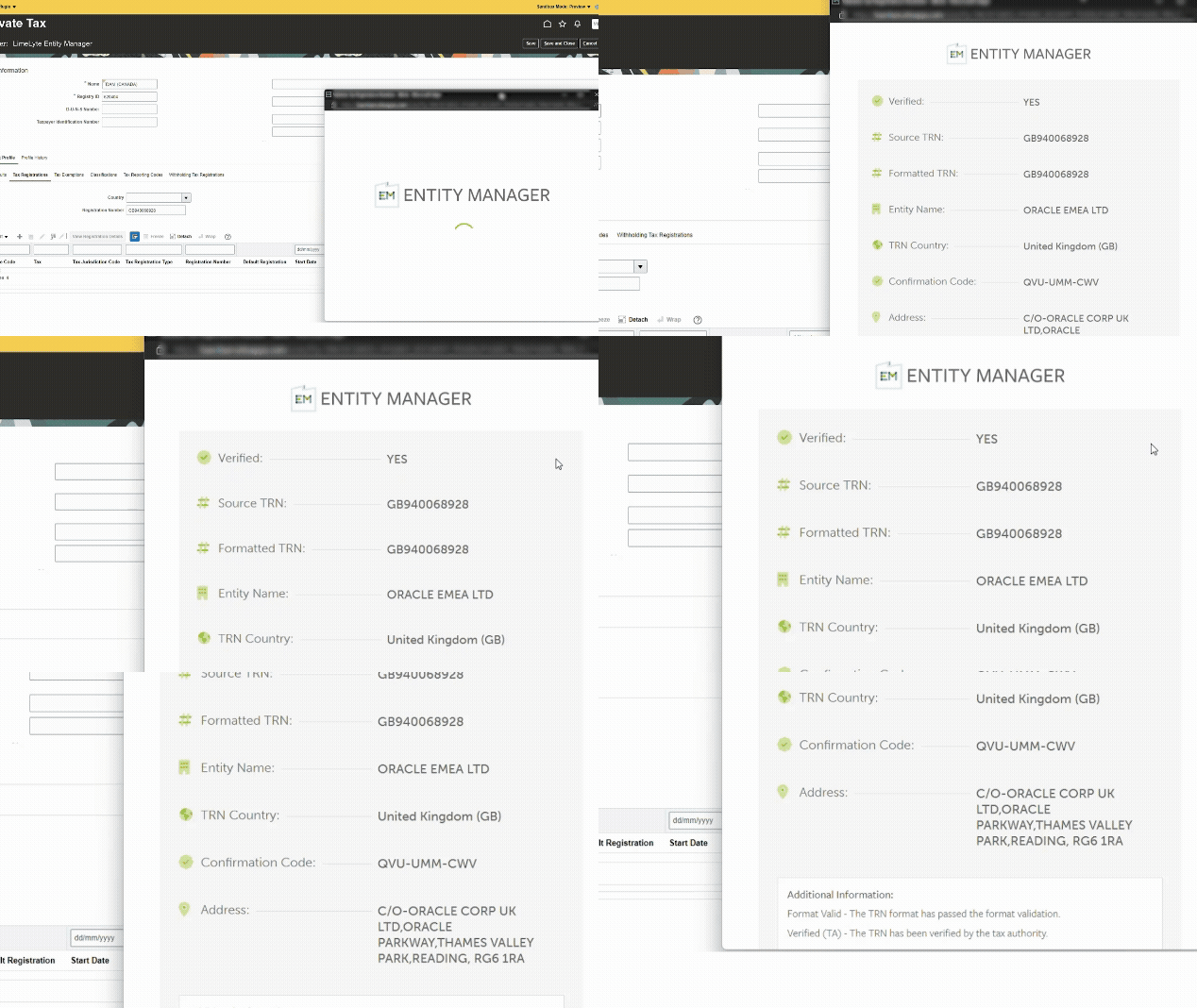
Popup showing VAT/GST Number has been verified along with the Entity Details

Check and continue

The pop-up shows a clear pass/fail result along with key details such as the formatted VAT number, registered entity name, country, confirmation code, and address. Once reviewed, close the pop-up and carry on.

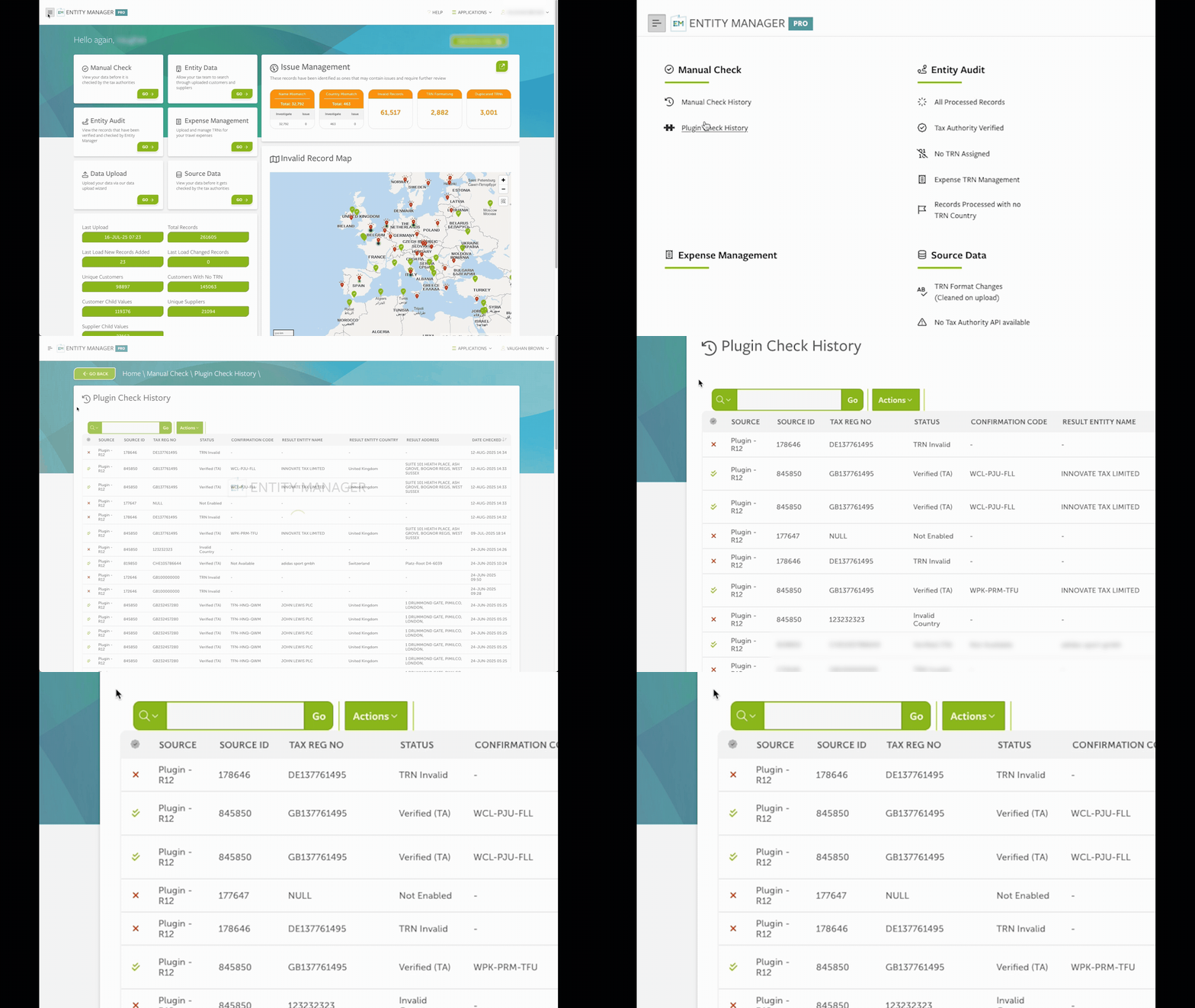
Showing the history of checked records within the Entity Manager application.

Get verified, even if the APIs are down

If a TRN cannot be verified immediately due to the relevant tax authority's API being temporarily unavailable, the plugin will continue to verify it in the background. Once the TRN is confirmed, you will be notified and be able to view the result in your Entity Manager history. This provides ultimate peace of mind that every TRN is verified - even if it is not possible to do so immediately. You will also be able to return to the record post-verification and make further updates if necessary.

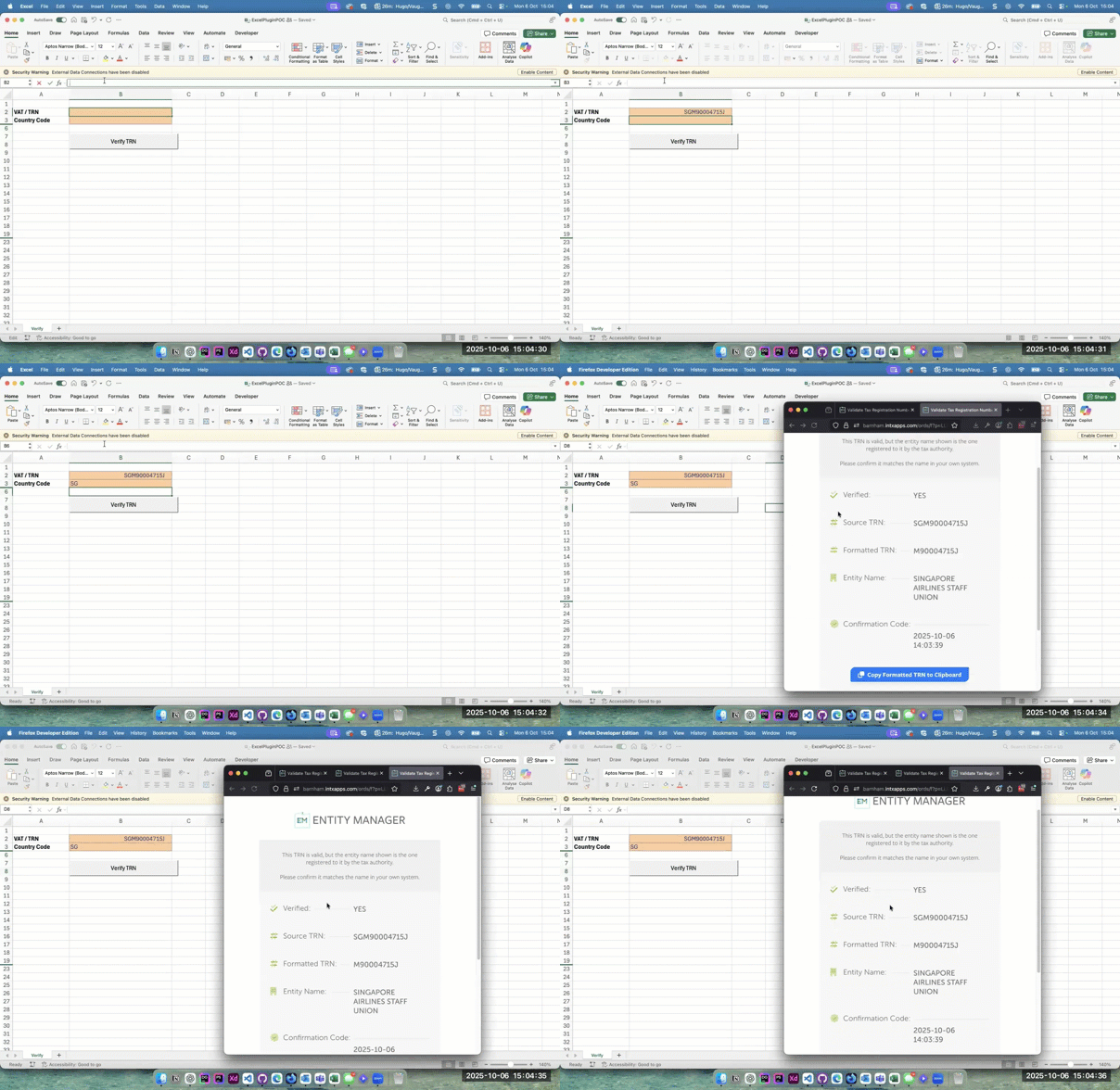
GIF Showing that the Popup works with Microsoft Excel

Compatibility

Our plugin is compatible with all mainstream apps. As an example, here it is added to Excel.

In almost all cases, the plugin even integrates with apps for which an API is prohibited.

It only takes a few minutes to install it with your chosen app, and it's guaranteed to be 100% secure in every scenario. That's why we think it's the most robust, comprehensive, and cost-effective solution on the market.

Book a demo

Fill in your details and our team will get back to you.